Photoshop 2026: All 12 New Features Explained (And the Credit Catch)
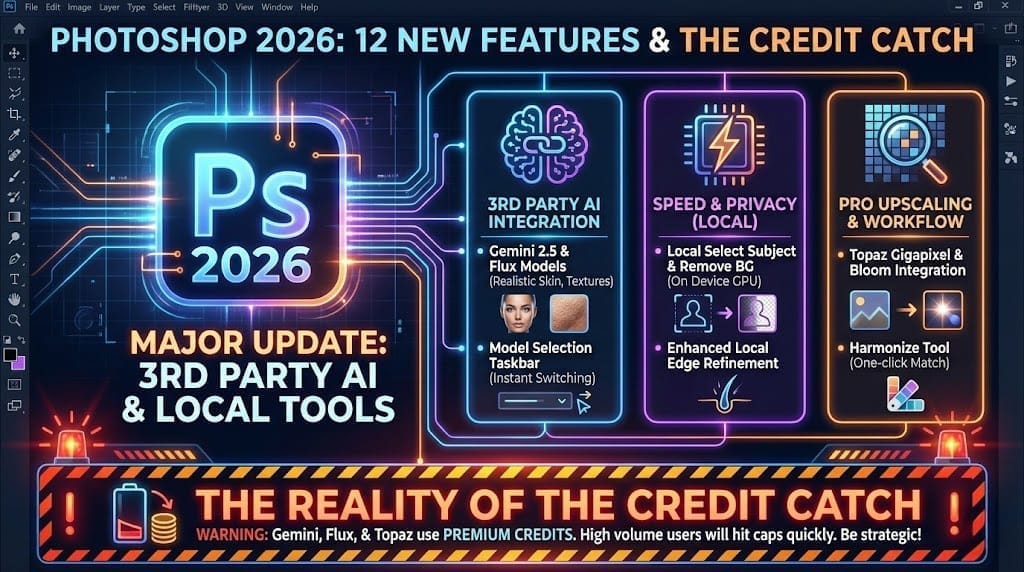
I messed up in my earlier draft by skipping the fine print. Photoshop 2026 is a massive update, but you need to know exactly what you're getting before you start spending those new generative credits.
I've spent the morning re-testing every single feature to give you the full list. Here is the breakdown of all 12 major updates and how they change the game for professional photography.
The Heavy Hitters: 3rd Party AI Integration
Adobe has finally opened the gates to external AI models. This is easily the most requested update from users who felt Firefly was lagging behind the competition.
- 1. Gemini 2.5 (Nano Banana): An incredibly fast model optimized for realistic skin tones and natural lighting. It's my new go-to for portrait work.
- 2. Flux Integration: If you need hyper-detailed textures or complex objects, Flux is the choice. It handles architectural details that used to trip up Firefly.
- 3. Model Selection Taskbar: You don't have to dig through menus anymore. The selector sits right on your workspace for instant switching.

Speed and Privacy: Local AI Tools
Not everything needs to be sent to Adobe's servers. Photoshop 2026 brings some of our most-used tools back to the local machine for faster performance.
- 4. Local Select Subject: No more waiting for the cloud. This runs on your GPU, making selections instantaneous.
- 5. Local Remove Background: Same as above, perfect for high-volume catalog work where privacy and speed are paramount.
- 6. Enhanced Local Edge Refinement: The AI now understands fine details like hair and translucent fabrics better than the 2025 version.

Professional Upscaling: The Topaz Partnership
This is the one I’m most excited about. Adobe has integrated industry-leading tech directly into the Photoshop menus.
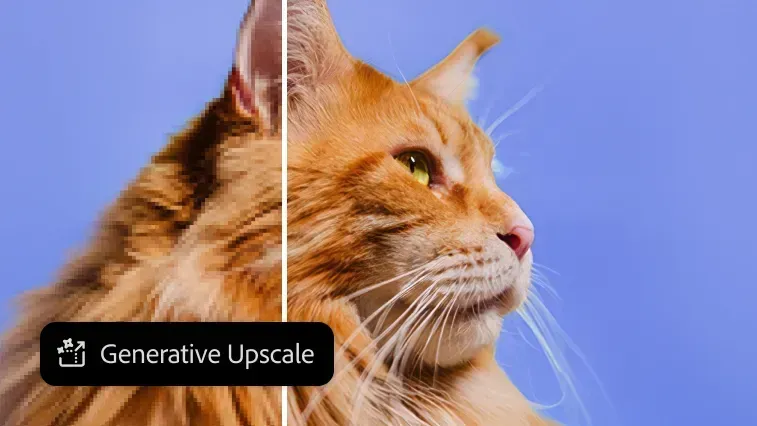
- 7. Generative Upscale Menu: A dedicated workflow for blowing up low-res images using AI to "fill in" missing pixels.
- 8. Topaz Gigapixel Integration: You can now use Topaz's world-class sharpening directly inside Photoshop without an external plugin.
- 9. Topaz Bloom: A creative upscaler that adds artistic texture and soft highlights while increasing resolution.
Refining the Workflow
The final three features focus on making your final image look like a photograph rather than a digital composite.
- 10. Harmonize Tool: A one-click filter that matches the color and light of your subject to the background.
- 11. Real-time Credit Tracking: A small counter in the corner shows exactly how many generative credits you have left before you click "Generate."
- 12. Firefly Image 4 Core: The base model has been updated for better spatial awareness and fewer "hallucinations" in complex scenes.

The Reality of the Credit Catch
While these 12 features are incredible, they aren't "unlimited." Every time you use Gemini, Flux, or Topaz, you are burning through Premium Credits.
If you're a professional doing 50+ edits a day, you will likely hit your cap within the first week. Be strategic with when you use the "magic" buttons versus traditional manual editing.
Verdict
Photoshop 2026 is the most significant jump in features since the introduction of Layers. It's faster, smarter, and more professional—provided you have the credits to back it up.
Don't just take my word for it. Update your beta, try the local Select Subject tool first, and see how much time you save on your next shoot.